
Internal Dashboard
Company Dashboard
Sign in with your dashboard password to continue.
Incorrect password - try again.
Sign in with your dashboard password to continue.
AI-powered SMS pipeline. Handles pre-qualification, showings, and follow-ups automatically.
Open PortalFull system architecture — agents, tools, and integrations.
View Stack4 active listings across Dallas and Temple, TX.
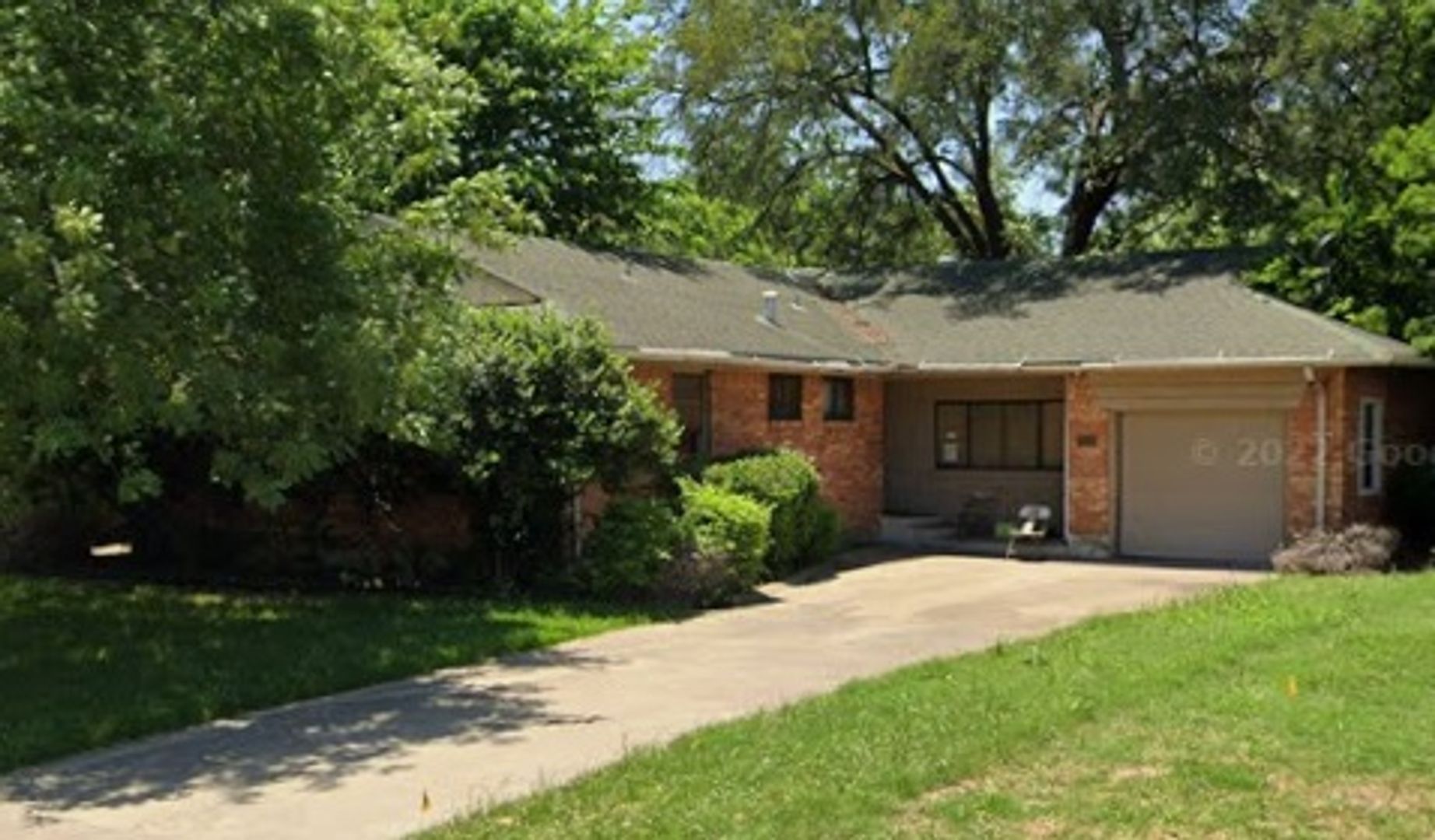
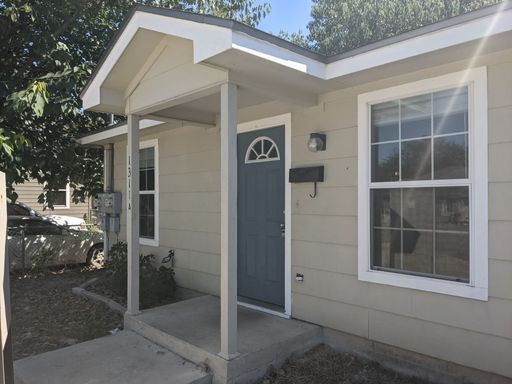
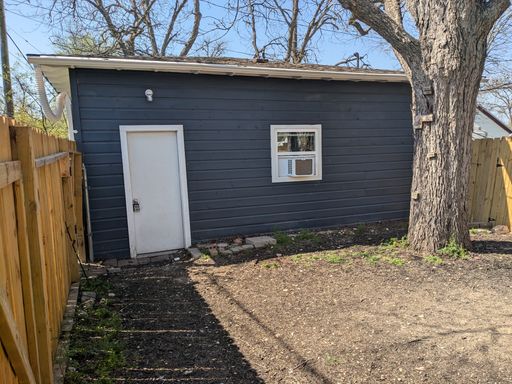
Run twice daily - morning and afternoon. Keep listings accurate, photos correct, and data in sync.
| Document | Location | Notes |
|---|---|---|
| BRD - Business Requirements | Open Doc | Full project BRD |
| Megan's Activation Playbook | Open Playbook | Full launch guide for Megan SMS agent & social media |
| Signups One Pager | Open File | All accounts John needs to sign up for |
| Sheet | Link | Notes |
|---|---|---|
| Leasing Agent Settings | Open Sheet | Agent name, income thresholds, all SMS scripts |
| Pet Property Overrides | Open Sheet | Pet policy, occupant limits, overrides |
| Change Log | Open Sheet | Auto-logs every setting change |
| Tool | Link | Status | Notes |
|---|---|---|---|
| Vercel - Hosting | Dashboard | Live | Auto-deploys on every GitHub push |
| GitHub - Website | gilchrist-website | Live | Source for gilchristpropertymanagement.com |
| GitHub - Leasing Agent | gilchrist-leasing-agent | Live | Source for Megan (SMS leasing agent) |
| AppFolio | Login | Live | John's property management portal |
| Google Analytics | analytics.google.com | Launch Jul 4 | Tracks website traffic and conversions |
| Google Search Console | search.google.com | Launch Jul 4 | Submits site to Google for indexing |
| Vapi.ai - Voice Agent | vapi.ai | Week 5-6 | AI answers John's phone 24/7 - ~$0.05/min |
| Asset | Link | Notes |
|---|---|---|
| All Logo Files | Google Drive | EPS and PNG versions - primary, white, dark |
| Main Company Website | gilchristcompany.com | Brand colors and visual reference |
| Site | Link | Notes |
|---|---|---|
| LocationRentals.com | Visit | Best-in-class property management site - design reference |
| TexasBMG.com | Visit | Best-in-class property management site - design reference |
11 stages from first contact to move-in. Megan handles stages 1–6 automatically. John approves at gates 3, 5, and 8.
| Item | Status | What to do |
|---|---|---|
| Domain & website | Complete | gilchristpropertymanagement.com is live on Vercel. |
| SMS scripts approved | Complete | John approved all Megan SMS scripts - all 16 stages confirmed. |
| Twilio webhook URL | Pending | In Twilio Console go to Phone Numbers → (469) 895-3846 → Messaging → set webhook to https://gilchrist-leasing-agent-production-927a.up.railway.app/sms. Required for Megan to receive inbound texts. |
| Twilio 10DLC registration | Pending | Register (469) 895-3846 for A2P 10DLC in Twilio Console → Messaging → Regulatory Compliance. Prevents carrier filtering of outbound texts. |
| Facebook webhook | Pending | Subscribe page to messages and messaging_referrals events in Meta Developer Portal. |
| Lockbox codes | Pending | Text Brock: LOCKBOX e-young [code] and LOCKBOX s-35th [code]. Megan sends XXXX until real codes are entered. |
| SendGrid email | Pending | Add SENDGRID_API_KEY and SENDGRID_FROM_EMAIL to Railway environment. Activates morning digest and Claire follow-up emails. |
| UptimeRobot | Complete | Monitor live at uptimerobot.com — watching gilchrist-leasing-agent-production.up.railway.app/health every 5 min. |
Every tool and service powering Paul's automated property owner acquisition pipeline. Goal: 50 new properties under management in 6 months.
| Function | Tech Platform | What It Does | Status | Cost/Mo |
|---|---|---|---|---|
| Store | Redis (Railway) | Saves every prospect Paul finds — name, address, score, stage, outreach history. Paul's permanent memory across all loops and crons. Without this, Paul forgets everything on restart. | Live | $0 — already paying |
| Sort | Railway — Acquisition Loop | Every 6 hours, pulls all active prospects from Redis and ranks them highest score to lowest before processing. Ensures Paul works the best opportunities first, not just whoever was found first. | Live | $0 — already paying |
| Score | Groq — Llama 3.3 70B | Loop 2 scores every prospect 0–100. Factors: absentee owner signals, market demand, property type, location. Score ≥ 70 = pursue. Score < 70 = auto-archive. Keeps John's pipeline clean and high-quality. | Live | $0 — free tier |
| Deliver | HubSpot CRM | Every owner Paul creates or advances automatically syncs to HubSpot as a Contact + Deal. Stage moves in real time: Prospect → Qualified → Outreach Sent → Meeting → Signed. John sees the full pipeline without touching any code. | Needs Token | $20/mo — Pro plan |
| Source | Method | What It Provides | Status | Cost/Mo |
|---|---|---|---|---|
| Tarrant CAD | ZIP → pipe download | Fort Worth / Arlington absentee owners | Live | $0 |
| Hays CAD | ZIP → CSV download | Kyle / Buda / San Marcos area | Live | $0 |
| Coryell CAD | ZIP → CSV download | Copperas Cove / Fort Hood | Live | $0 |
| Collin CAD | Socrata JSON API | Frisco / Plano / McKinney area | Live | $0 |
| Denton CAD | ZIP → CSV download | Denton / Flower Mound / Lewisville area | Live | $0 |
| Dallas CAD | ZIP → CSV download | DFW absentee owner records | Live | $0 |
| Bell CAD | ZIP → CSV download | Temple / Killeen absentee owners | Live | $0 |
| Williamson CAD | Socrata CSV API | Round Rock / Georgetown area | Live | $0 |
| Travis CAD | ZIP → CSV download | Austin absentee owners | Needs Request | $0 |
| Ellis CAD | ZIP → CSV download | Waxahachie / Ennis area | Needs Request | $0 |
| Rockwall CAD | ZIP → CSV download | Rockwall / Rowlett area | Needs Request | $0 |
| Texas SOS | Public web lookup | Entity lookup — identifies LLC-owned rentals | Live | $0 |
| Factor | Option 1 HubSpot template + HubSpot sends |
Option 2 Groq writes + HubSpot sends |
Option 3 ✓ Groq writes + SendGrid sends |
|---|---|---|---|
| Personalization | ✗ Same email to every owner | ✓ Unique per owner | ✓ Unique per owner |
| John setup time | 1–2 hrs (write templates + sequences) | 30–45 min (connect Gmail to HubSpot) | 5 min (add 2 keys to Railway) |
| John time per email | 0 sec (auto-sends) | 10–15 sec (SMS approval) | 10–15 sec (SMS approval) |
| Risk | Generic email = low response rate | Gmail disconnect = emails stop | None |
| Build status | Not built | Not built | Already built ✓ |
SENDGRID_API_KEY to Railway and go live in 5 minutes.| Service | Role in Paul | Status | Cost/Mo |
|---|---|---|---|
| Twilio SMS | Texts John drafts for approval; sends approved owner outreach via SMS | Live | $0 — already paying |
| SendGrid | Primary email delivery — sends all owner emails once John approves. Add SENDGRID_API_KEY + SENDGRID_FROM_EMAIL to Railway to activate. | Add to Railway | $0 — free tier |
| Gmail (nodemailer) | Email fallback if SendGrid is not configured | Live | $0 |
| PandaDoc | Proposals & management agreement e-signature. Groq drafts personalized proposal body; PandaDoc wraps in Gilchrist’s branded template and collects e-signature. Free tier: unlimited documents + e-signatures. HubSpot deal sync available on paid upgrade. | Pending | $0 — free tier |
| Responsibility | Who | How |
|---|---|---|
| Content Writing | Paul (Groq / Llama 3.3) | Loop 3 generates a unique subject line + body per owner — references their specific property and situation. Self-critiques up to 3x before sending to John. |
| Template / Design | None (plain text) | Emails are sent as plain text wrapped in a <pre> tag. No HTML template or visual design layer. HubSpot does not send or template emails — it only tracks that one was sent. |
| Sending | SendGrid → Gmail fallback | SendGrid is primary once SENDGRID_API_KEY is set in Railway. Gmail nodemailer is the automatic fallback if SendGrid is missing or fails. |
| Job | Schedule | What It Does |
|---|---|---|
| Prospect Finder | Sunday 11 PM CT | Downloads CAD files, filters absentee owners, queues into Redis |
| Acquisition Loop | Every 6 hours | Sorts by score, runs Loops 1–3, notifies John for approval |
| Follow-Up Loop | Daily 9 AM CT | Day 7, 14, 21 follow-ups to non-responding owners |
| Weekly Learning | Friday 7 AM CT | Loop 6 — analyzes results, refines outreach strategy |
| Item | Status | Action |
|---|---|---|
| HubSpot CRM Pro — $20/mo | Pending | Sign up at app.hubspot.com → create Private App → add HUBSPOT_ACCESS_TOKEN to Railway |
| CAD Bulk Data Pulls | Live | Dallas, Bell, Travis, Williamson, Hays all downloading automatically every Sunday |
| Groq AI | Live | All 6 loops configured and running on Railway |
| Twilio SMS | Live | John texts APPROVEOWNER / DENYOWNER from his cell |
| Gmail Outreach | Live | nodemailer configured with johnmgilchrist@gmail.com |
| Paul Portal | Live | View Pipeline Board → |
End-to-end pipeline from prospect discovery to signed contract. Every step, owner, and decision gate. Goal: 50 new properties under management in 6 months.
| Phase | # | Step | Owner | Action | ✓ Proceed If | ✗ Don't Proceed If |
|---|---|---|---|---|---|---|
| DISCOVER | 0 | Prospect Discovery | PAUL · AI | CAD bulk data pulls every Sunday 11 PM CT. Filters for absentee owners (mailing address ≠ property address). Dedupes against existing ownerStore. Adds to Redis at stage research. |
In target market + absentee signal + not already in system | Already in system — or — out of target market |
| QUALIFY | 1 | Research Loop 1 |
PAUL · AI | Reads HubSpot prior notes. Evaluates all known signals. Rates confidence 0–100 that enough exists to write a non-generic message. | Confidence ≥60 → chain immediately into Loop 2 | Confidence <60 → SMS John listing exactly what’s missing. Pauses until John adds notes via portal. |
| 2 | Score Loop 2 |
PAUL · AI | Scores owner 0–100. Weights: absentee signals (40%), market fit (30%), self-managing signals (15%), owner distance (10%), property value (5%). Auto-qualifies 5–50-property in-market owners at 75+ regardless of AI score. | Score ≥70 → chain immediately into Loop 3 | Score <70 → auto-archive. Stage = archived. HubSpot → Closed Lost. |
|
| OUTREACH | 3 | Draft Message Loop 3 |
PAUL · AI | Writes a personalized email or SMS referencing the owner’s specific property and situation. Self-critiques for generic language. Rewrites up to 3x. Texts John the draft with APPROVEOWNER / DENYOWNER instructions. | Draft passes quality critique → stage = outreach_pending, John notified via SMS |
Fails critique 3x → best draft still sent to John. Paul never auto-blocks on self-critique failure. |
| 4 | Approval Gate | JOHN · GATE | John receives SMS with full draft preview, owner name, property, score, and outreach channel. Replies from his cell. Nothing sends without this step. | Text APPROVEOWNER [id] → outreach sends immediately via SendGrid (email) or Twilio (SMS) |
Text DENYOWNER [id] → owner holds at outreach_pending. John can re-submit or archive manually. |
|
| ENGAGE | 5 | Outreach Sent | AUTO | Message delivered to owner. Stage = outreach_sent. System waits for reply. Follow-up clock starts. |
Owner replies → Loop 4 fires immediately | No reply by Day 7 → follow-up track activates |
| 6a | Follow-Up #1 Day 7 |
PAUL → JOHN | Paul drafts a softer angle with a different value prop. Same approval gate applies before sending. | John approves → follow-up sends. Clock resets to Day 14. | John denies → skip this follow-up. Advance to Day 14. | |
| 6b | Follow-Up #2 Day 14 |
PAUL → JOHN | Final check-in. Low-commitment ask (quick call, a simple question). Same approval gate. | John approves → final follow-up sends. Clock resets to Day 21. | John denies → skip. Advance to Day 21 auto-archive. | |
| 6c | Auto-Archive Day 21 |
AUTO | No response after 21 days. Stage = archived, reason = no_response_21d. Data fed into Loop 6 weekly learning. |
— | Terminal. HubSpot → Closed Lost. | |
| RESPOND | 7 | Classify Reply Loop 4 — event-driven |
PAUL · AI | Fires immediately on owner reply. Classifies into: interest, meeting_request, question, objection, or no_interest. | interest / meeting_request → stage = meeting_booked. Auto thank-you sent to owner. SMS John immediately. | question → John notified with recommended action. | objection → Loop 5. |
no_interest → stage = archived. HubSpot → Closed Lost. |
| 8 | Handle Objection Loop 5 — event-driven |
PAUL · AI | Responds to fee, trust, timing, or current-manager objections with specific evidence. Evaluates conversion likelihood. Types: fee → ROI argument; trust → John’s 40yr track record; timing → month-to-month offer; current_manager → free side-by-side comparison. | High / medium likelihood → Paul sends response directly to owner | Low likelihood or complex objection → escalate to John via SMS with full context | |
| CLOSE | 9 | Meeting | JOHN · GATE | John contacts owner directly. 15-minute no-pressure consultation call. Fully human — no automation at this stage. | Meeting confirmed → stage = meeting_booked in HubSpot |
Owner goes cold after interest → return to follow-up queue or archive |
| 10 | Proposal | JOHN · GATE | John presents management agreement on the call or by email. | Owner wants to proceed → stage = proposal_sent |
Owner declines → stage = archived, reason logged to HubSpot |
|
| 11 | Signed ✓ | JOHN · GATE | Management agreement executed. Owner onboarded. | Stage = signed. HubSpot → Closed Won. Loop 6 logs as converted. |
— | |
| LEARN | 12 | Weekly Learning Loop 6 — Fri 5 PM CT |
PAUL · AI | Analyzes the full week: which owner profiles progressed, which objections were common, which outreach patterns drove replies. Texts John a ranked 3-improvement report every Friday. | Continuous improvement — feeds back into Step 3 (draft quality) and Step 2 (scoring weights). No gate. | |